

For research, engineering and teaching
Describe the document.
Get it beautifully typeset.
Tell docraft what you need in plain language, attach your data, drafts or screenshots, and get back a carefully typeset PDF. Check the points the agent lists, then point at anything on the page and say what should change.
Free plan: 300 points a month, up to 3 documents, no card needed
- Checklist
- Point to change
- Direct edits
- Versions & undo
- Share & review
- Team spaces

Demo
Watch it make a handout
A high-school physics handout from one request, a data file and a photo of handwritten equations. Checking, annotating, direct edits, follow-ups, undo and sharing, all in the real app; the agent's working time is sped up. No voice-over; captions on.
Want to click around yourself? Open the read-only version of this handout, with its checklist, annotations and the agent's replies. No sign-up needed.Open the sample handout
How it works
Describe it, get it typeset, point to change it
- 1
Describe the document
Say who it's for, what it covers and roughly how long it should be. Attach data (CSV, Excel), drafts, PDFs, photos of handwritten formulas, references (.bib), or game and music files. Pick a template, or let docraft choose.
- 2
The agent typesets it and tells you what to check
The agent outlines, writes and typesets the document; before delivery, the layout is checked by code for page count, overflow and overlaps. A checklist comes with it: what each formula means, how the data was used, which defaults it chose. Mark each one right or wrong.
- 3
Point at the page and say what to change
Click an equation, select some text or drag over an area, and write an annotation. Collect a few and send them together: the agent works through each one and replies on it, and you accept or ask again. For a typo, just double-click and fix it.
What you can make
From exam papers to sheet music
Every page below is the first page of a template sample, typeset by docraft.
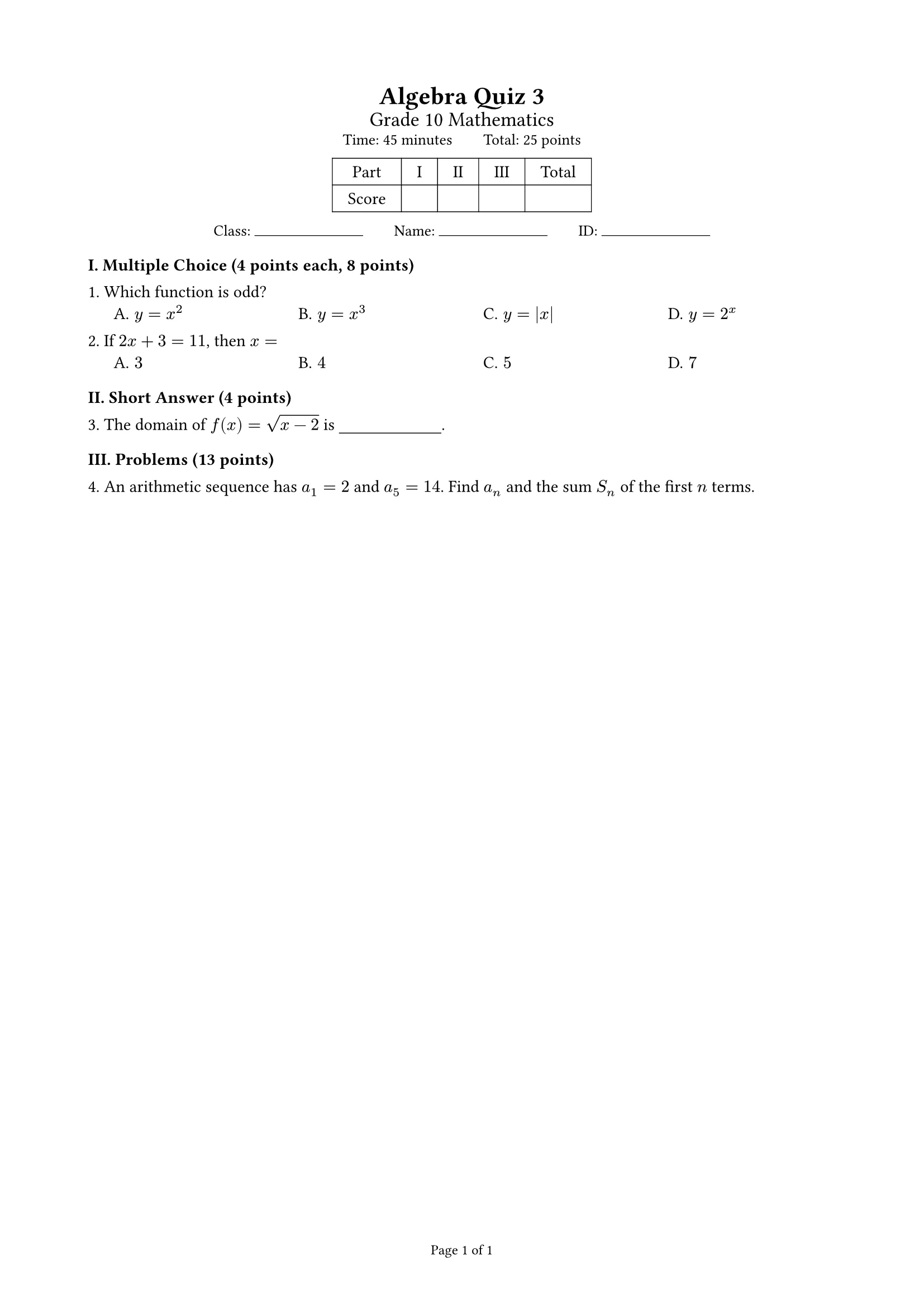
Exams
Points summed per part, a score table and auto-arranged choices; student and answer-key versions from one document; A4, or A3 in two columns with a binding line.
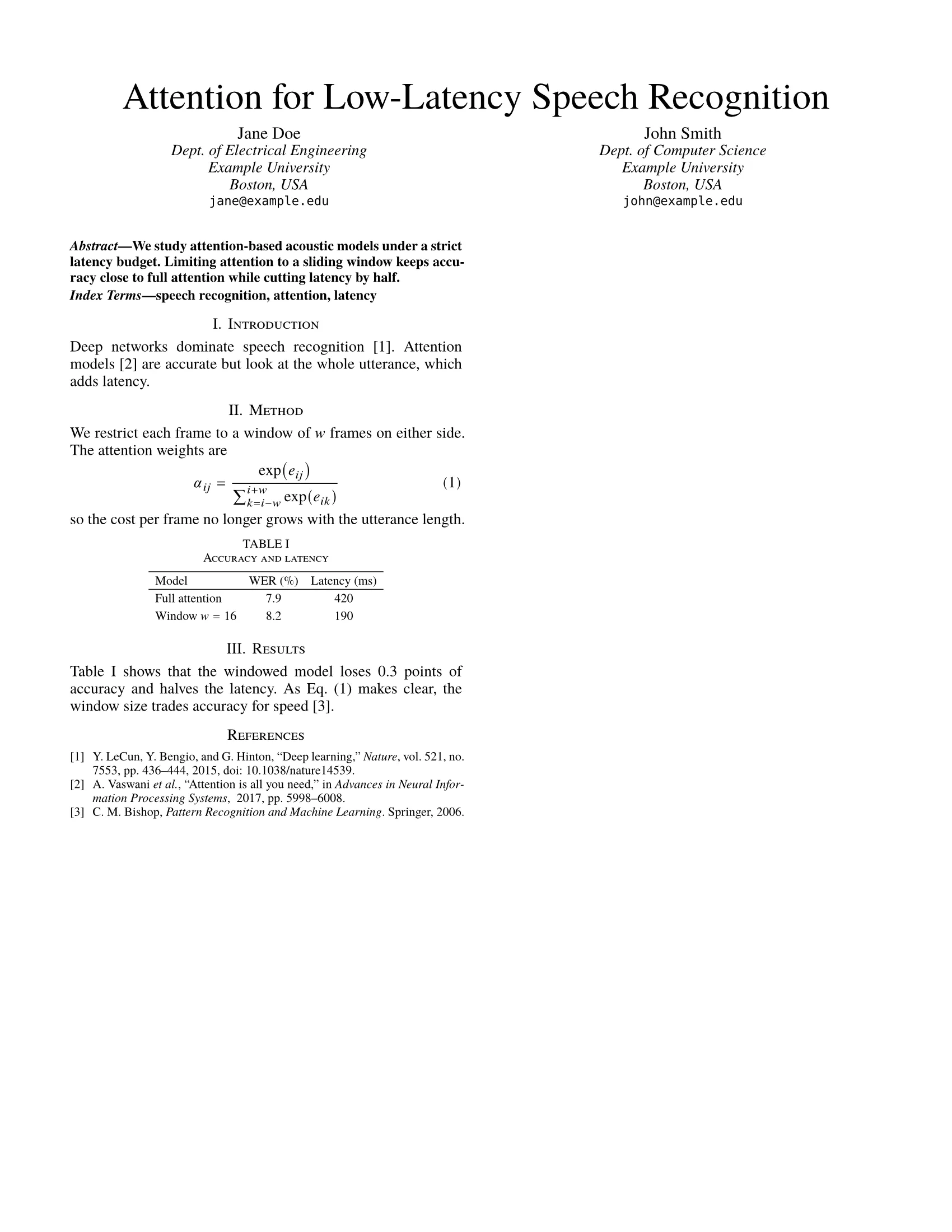
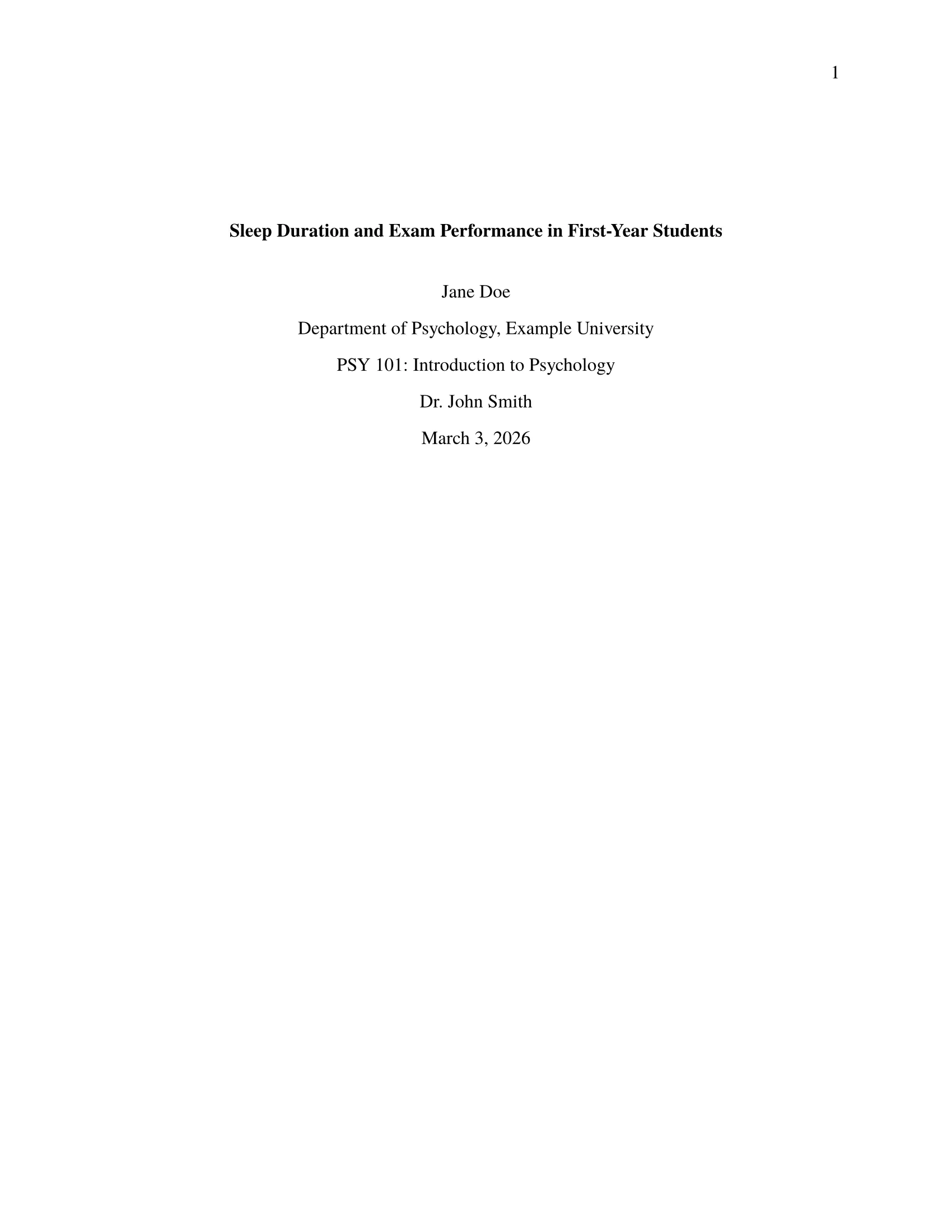
Papers: APA, IEEE, general
APA 7th edition, two-column IEEE conference papers, or a general article layout, with references from your .bib file or DOIs.
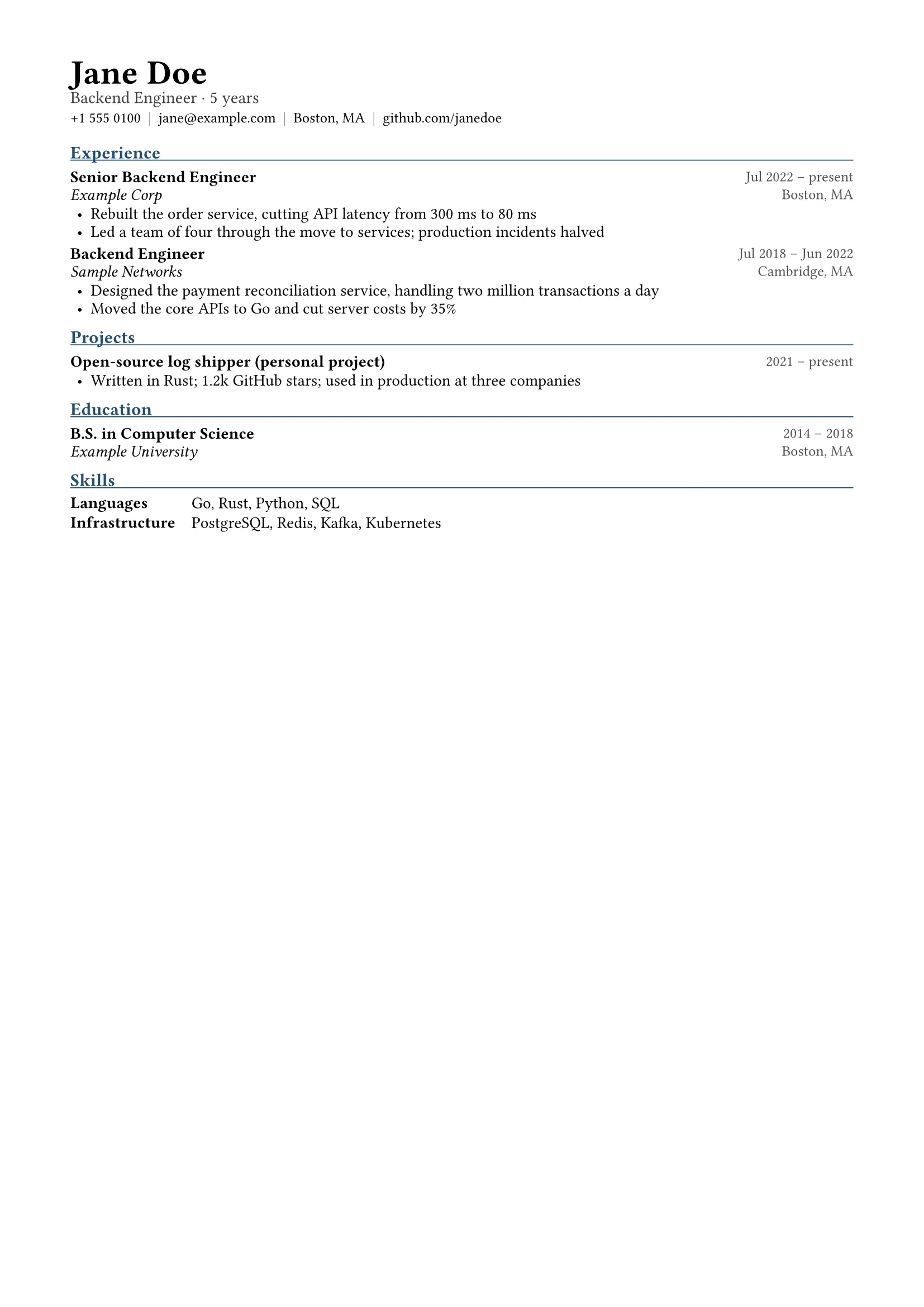
Résumés
One page with your name, contact details, an optional photo and an entry for each role. Résumés take a faster route that uses fewer points.
Handouts, reports, lab reports
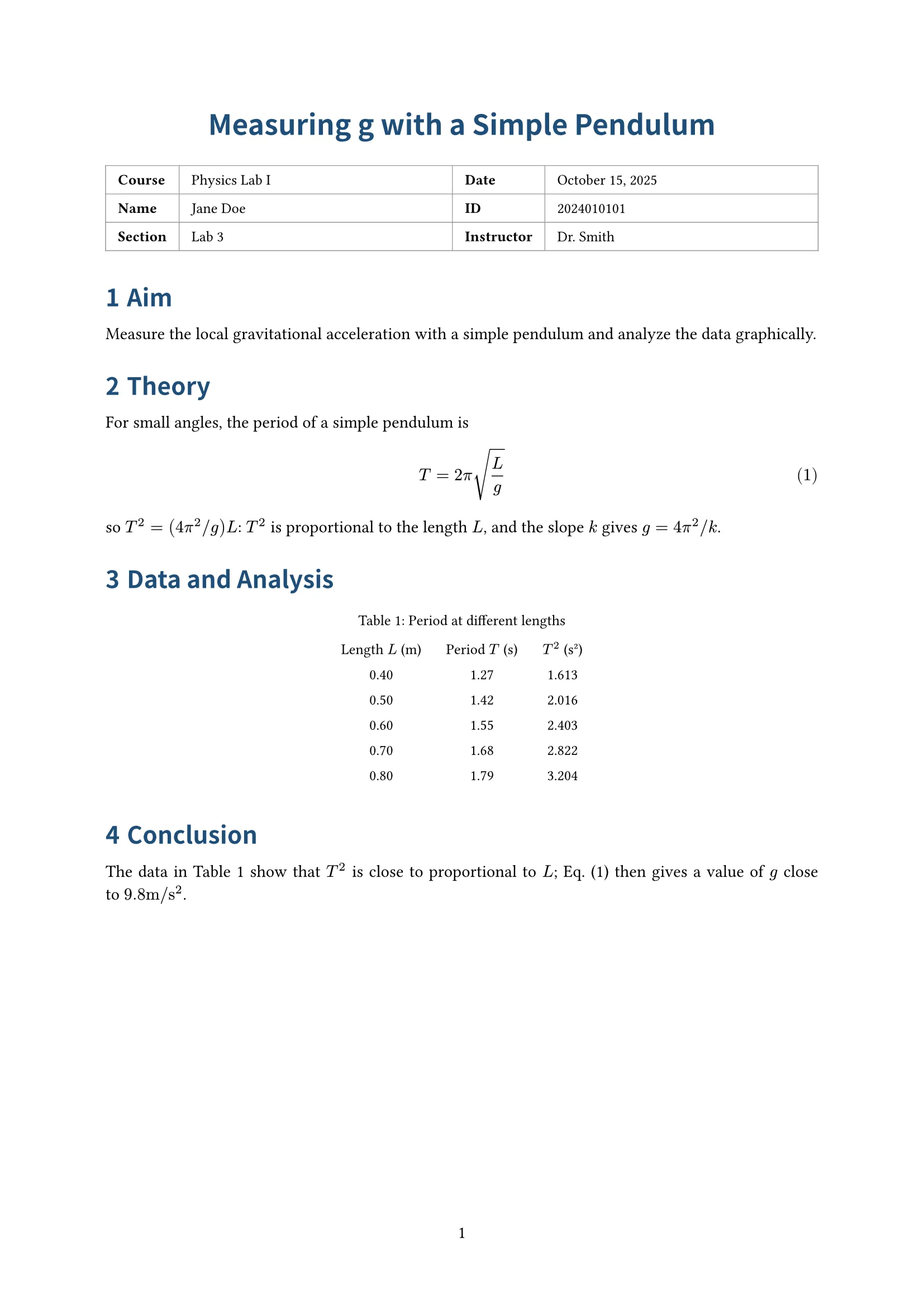
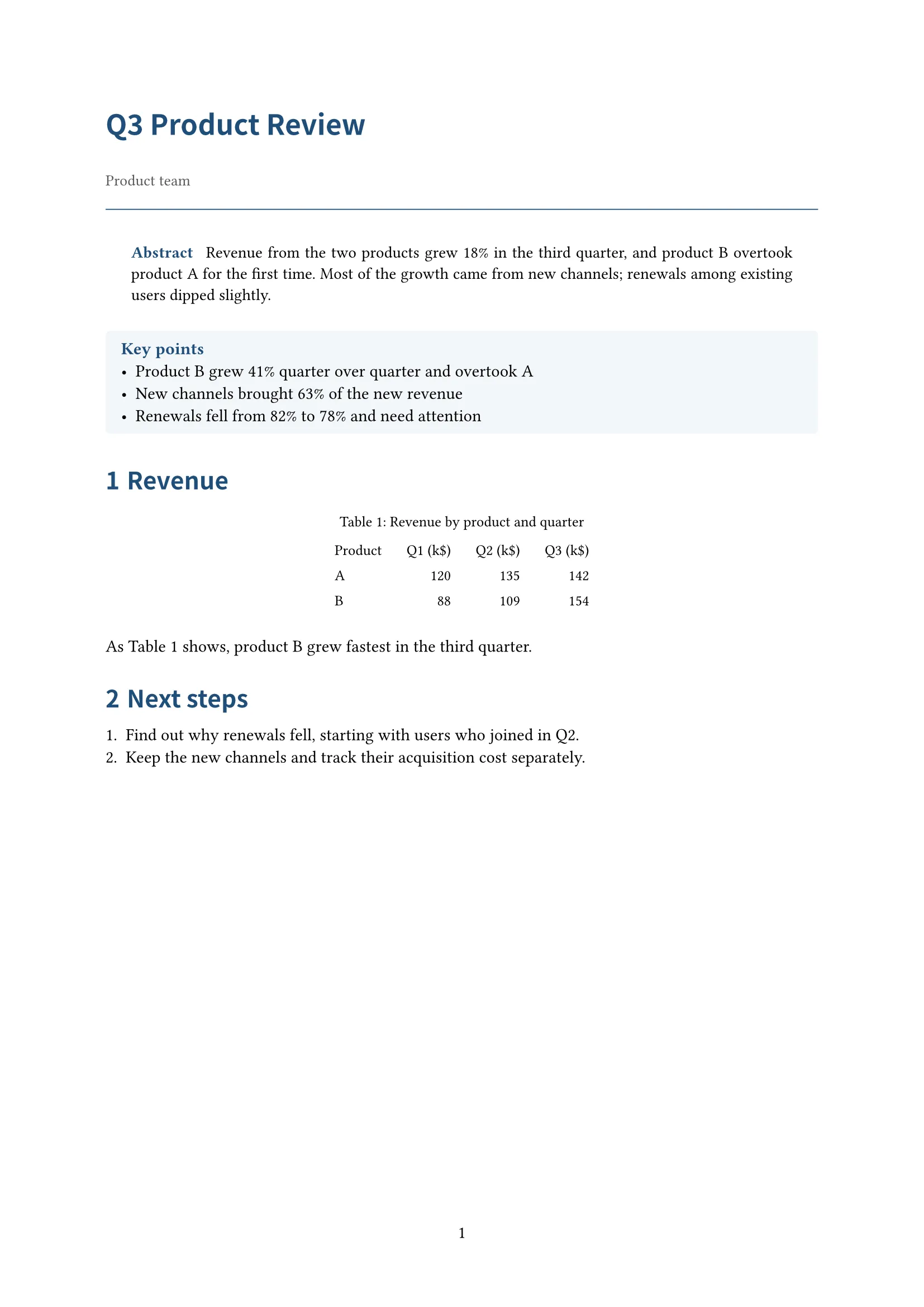
Numbered definitions, theorems and examples; tables and charts drawn from your CSV; an info block with course, name and student ID for lab courses.
Sheet music and jianpu
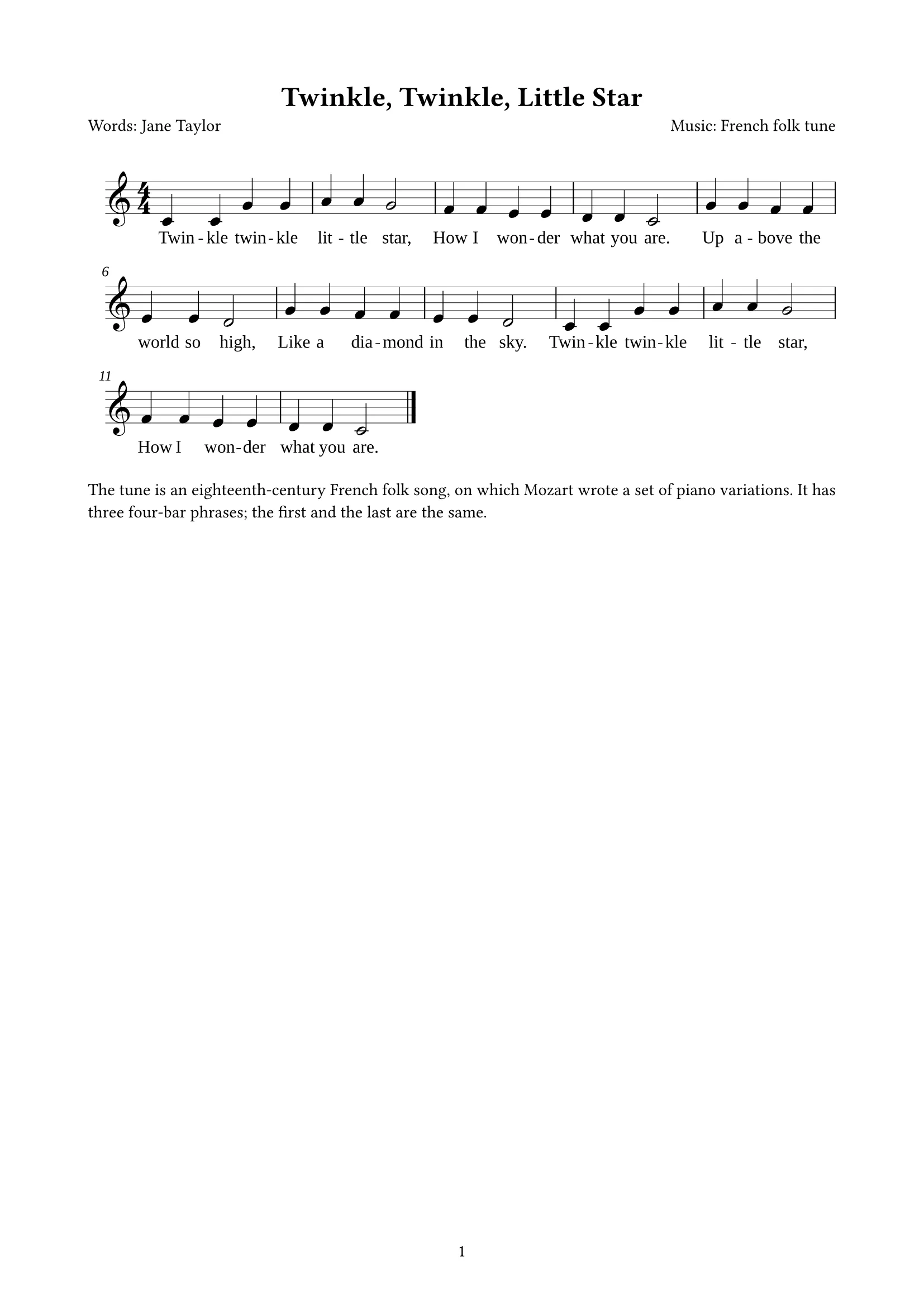
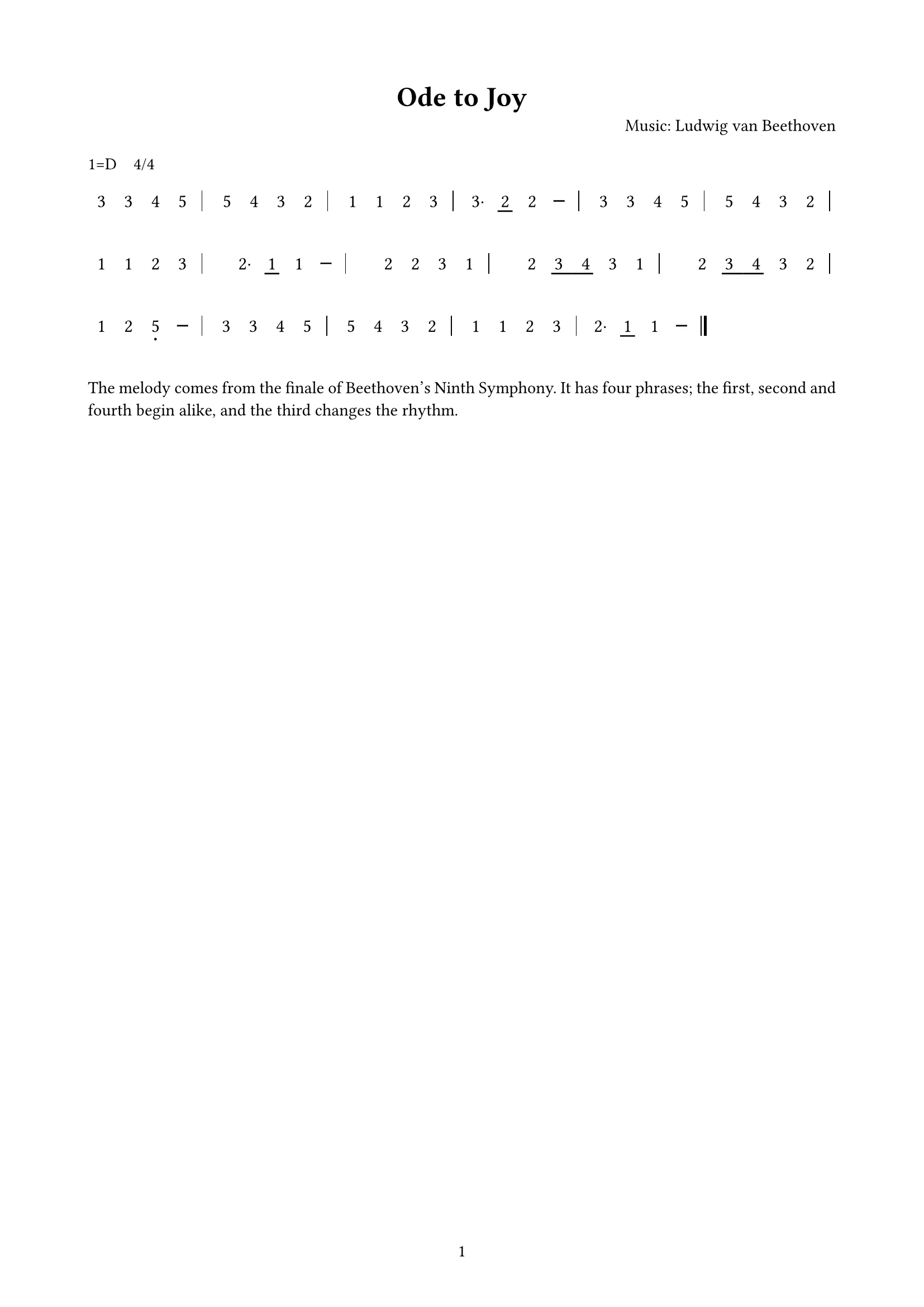
Upload MusicXML and get staff notation with lyrics, or jianpu (numbered notation). The notes are engraved by a program, not guessed by a model.
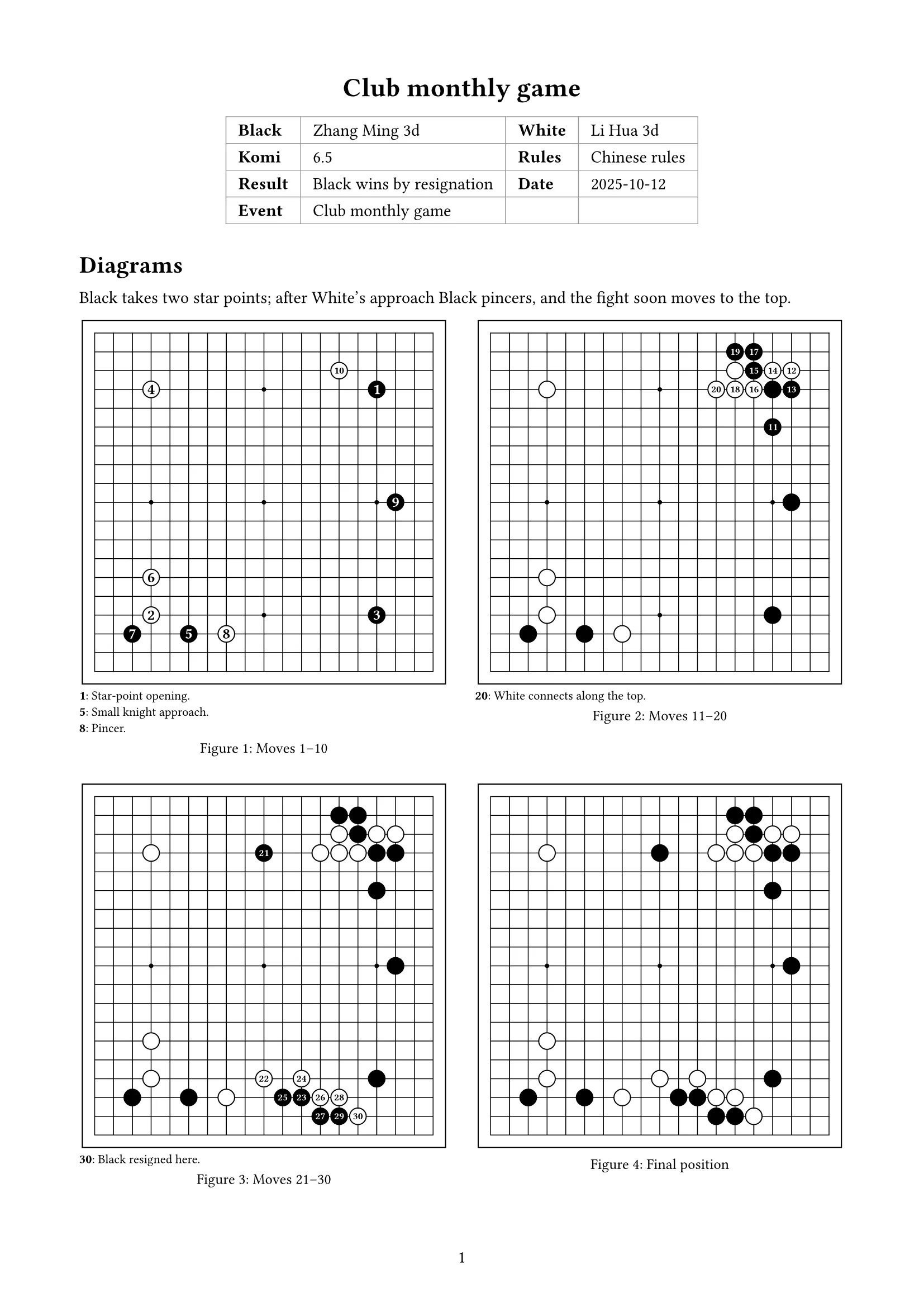
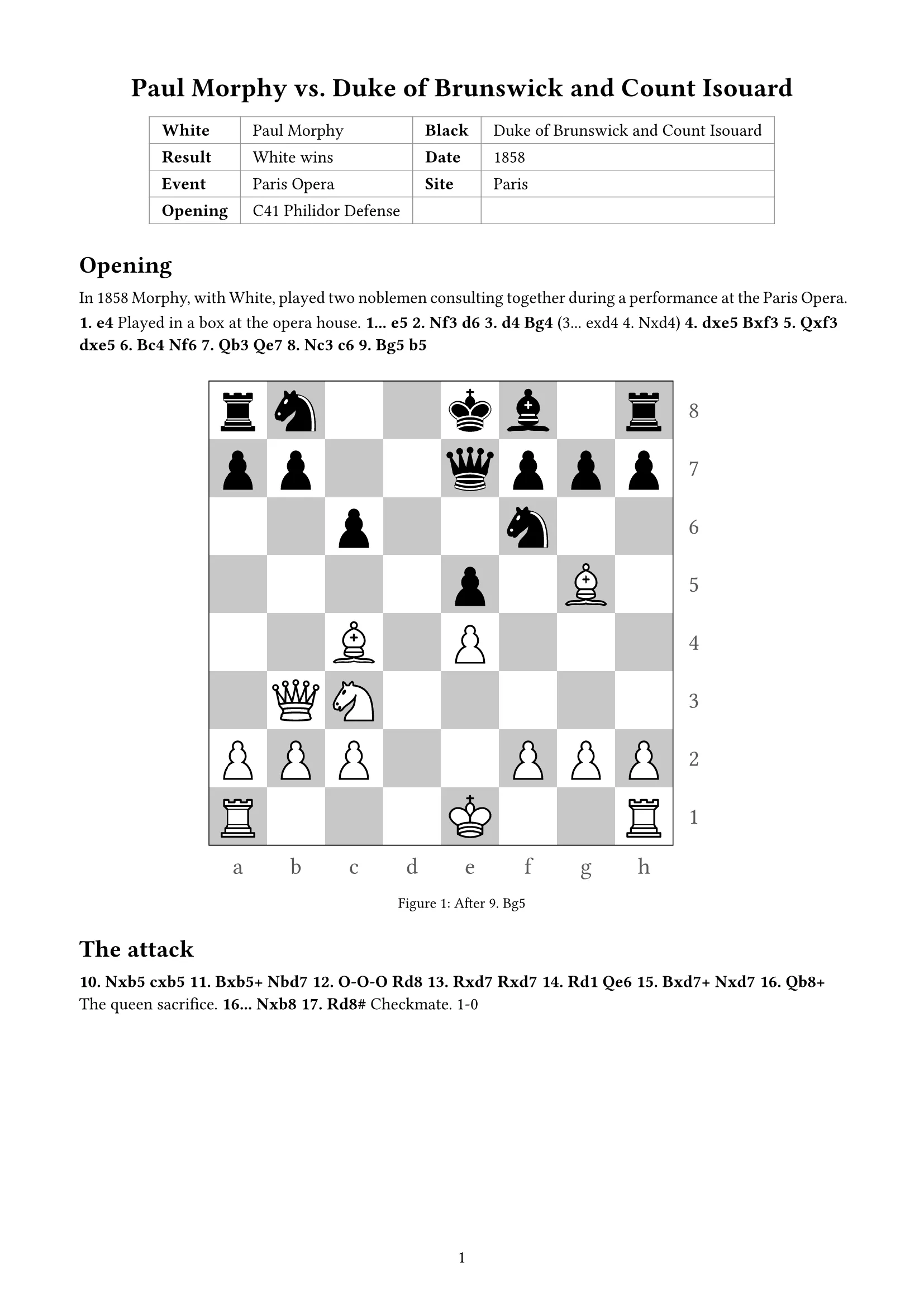
Go and chess game records
Upload SGF or PGN: game details, diagrams by move range and the comments; boards, captures and moves are computed and drawn for you.


Features
Revise with confidence, deliver with pride
Revise until it's right
Every note fixed and answered
The agent works through your annotations and replies on each one; accept it or ask again.
Small fixes, done directly
For a typo or a word, double-click the text and change it. No agent, no points.
Versions and sharing
Every turn is a version you can go back to. Export a PDF, or share a link for others to read and annotate.
Annotations and checklist
Annotations are anchored to an element, a passage or an area, and follow it across versions. Mark a checklist item wrong and your reason becomes an annotation.
Versions and undo
Every agent turn and manual edit is saved as a version you can view and restore. If the agent changes anything outside your annotations, you're told and can undo the whole turn.
References by DOI
Paste DOIs to look up the details, or upload a .bib file. The agent cites only what's in your library and asks you to add anything missing instead of inventing it.
PDF export
Download the current version as a PDF at any time. Free-plan exports carry a watermark; paid plans don't.
Share links
Send a read-only link to a reviewer, optionally let signed-in users annotate, set it to expire after 7 or 30 days or never, and revoke it at any time.
Team spaces and roles
Owner, admin, member, commenter and viewer; invite people by email. On the Team plan, commenters and viewers don't take a seat.
Attachments and data tables
Attach CSV, Excel, images, PDFs and text. Edit the data behind a chart in a table and the document is typeset again when you save.
Direct text and equation edits
Double-click body text to fix a typo; equations have their own editor with a live preview. These edits skip the agent and cost no points.
Pricing
Start free, upgrade when you need more
Usage is metered in points, charged per turn by what it actually uses. A new document takes about 16 points.
Free
$0Free forever
300 points a month (about 18 new documents)
Standard
$9.90/ month
3,000 points a month (about 187 new documents)
Pro
$19.90/ month
8,000 points a month (about 500 new documents)
Team
$19.90/ seat / month
8,000 points per seat a month (about 500 new documents), shared by the space
Frequently asked questions
Do I need to know LaTeX or anything about typesetting?
No. You describe the content: what it says, who reads it, which data and formulas it needs. docraft decides the layout, fonts, numbering and figure placement, and you never see source code.
What files can I attach?
Text, CSV, TSV, Excel (read sheet by sheet), JSON, PNG, JPEG, WebP, PDF, .bib reference files, Go SGF, chess PGN and MusicXML (.musicxml, .mxl), up to 20 MB each.
Can I edit the result myself?
Yes. Annotate the page and let the agent revise it, double-click to fix text directly (on a computer), and use the dedicated editors for equations and chart data. Every change is saved as a version you can restore.
Will the agent change things I didn't ask about?
Annotations set the scope of a change. After each turn the changes are compared, and if anything outside your annotations changed you're told how many places and can see them on the page, then undo the whole turn with one click if you like.
Which languages are supported?
The interface and documents are available in English and Simplified Chinese. The document language is independent of the interface language: you can write an English paper with the Chinese interface, for example.
Are my documents used to train AI models?
No. docraft uses Claude models through Anthropic's commercial API, and your documents, attachments and conversations are not used to train models. See AI Use for details.
Where are my files stored, and is deleting permanent?
In Amazon Web Services' us-west-2 region (Oregon, USA), encrypted in transit and at rest. Deleted documents stay in the trash for 30 days and are then permanently deleted; 30 days after you delete your account, your personal space and its documents are permanently deleted. See the Privacy Policy for details.
Can I export the source files?
You can export any document as a PDF at any time. Export my data in your account settings downloads a zip with the attachments, conversations and annotations of the documents in your personal space, plus your account details. The internal typesetting format is not exported.
Can I use it on my phone?
You can view documents, annotate, go through the checklist, and browse or undo versions on a phone. Editing text directly needs a computer.
Let docraft typeset your next document
Sign up to use the free plan. Try any paid plan free for 14 days.
Start free